Free Tender & RFP Analyzer
A free tender analyzer that runs where your document already is. Paste the text or open the file, and in a couple of seconds you get the real numbers from it: how many requirement statements it contains, how many of them are mandatory, and three examples pulled straight from your own text. It also counts the requested documents, the dates and the flagged commercial clauses — those lists open up in a paid workspace. It is built against the packs published on Find a Tender, TED and SAM.gov.
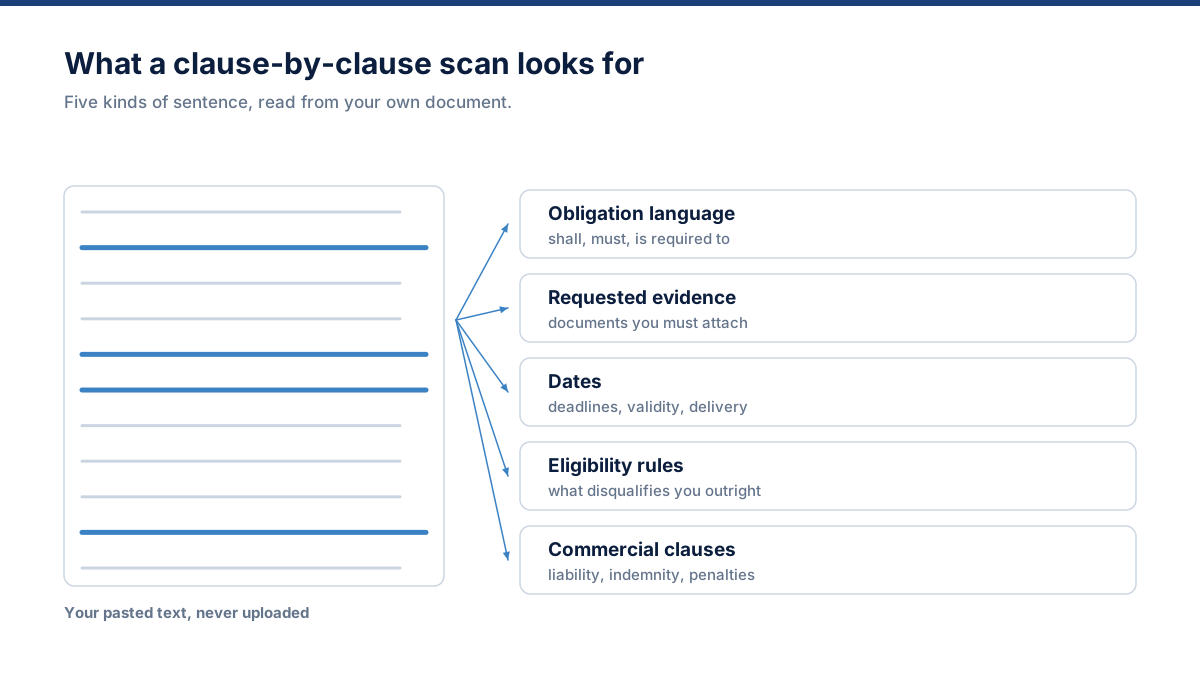
What the analyzer looks for in your document
Deterministic detection, deliberately. A missed pass/fail clause is a disqualification, so that layer does not depend on a language model guessing.
Obligation language
Shall, must, is required to, mandatory, will be rejected, condition of participation, failure to provide, minimum requirement — plus instruction verbs like provide, describe, submit, demonstrate and confirm.
Requested evidence
Certifications and ISO standards, licences, insurances, bonds and guarantees, audited accounts, tax clearance, registrations, CVs, references, method statements, policies and declarations.
Dates and timings
Numeric and written date formats with their surrounding context, so a submission deadline reads differently from a contract start. Ambiguous day/month formats are flagged rather than guessed.
Eligibility gates
Pre-qualification criteria, minimum turnover, years of experience, registration requirements, local presence conditions and stated grounds for exclusion.
Commercial review flags
Unlimited liability, liquidated damages, indemnities, bid and performance bonds, retention, termination for convenience, IP ownership, data residency, warranty periods and payment terms.
Submission rules
Page and word limits, formatting instructions, file naming conventions, required formats, number of copies, portal versus email, signature and stamping requirements.
Why the file never leaves your browser
A tender pack usually arrives with confidentiality obligations attached, often before you have decided whether to bid at all. That makes the ordinary free-tool bargain — upload your document to a stranger's server in exchange for a result — a bad trade for exactly the people who most need the result.
So the analyzer does not make that trade. The parsing, the clause detection, the date extraction and the counting all happen in JavaScript running on your machine. There is no request carrying your document anywhere, which you can verify yourself: open your browser's network tab and run an analysis.
The practical consequence is that you can evaluate the tool on a live confidential tender today, without a data processing agreement, a security review or a procurement conversation first.
Try it on the demo first
If you would rather see the output before pointing it at a real tender, load the demo document. It is a fictional RFP written for this purpose — a fictional authority, a fictional project, invented dates and thresholds.
Demo data
- Mandatory clauses with rejection language
- A compulsory pre-bid briefing
- Certification, insurance and bond requirements
- Six separate dates with different meanings
- Liquidated damages, IP vesting and data residency clauses
How to analyze a tender in about two minutes
Add the tender text
Paste the RFP text or open a DOCX, TXT or text-based PDF. The file is read locally by your browser and is never uploaded.
Run the analysis
The analyzer scans the document clause by clause for obligation language, requested evidence, dates, eligibility rules and commercial clauses.
Read the structure
You get requirement counts, mandatory items, requested document categories, key dates, review flags and a bid fit summary drawn from your own text.
Decide and continue
Use the result to make the bid decision, then open a paid workspace to turn the same analysis into an assigned, evidenced, exportable response.
We found the requirements. Now build the response.
The free tool shows you what the tender demands. A paid workspace is where the demand becomes assigned, evidenced, drafted and validated work.
Starter — $299/month
One bid professional with the full workspace: complete compliance matrix, Company Brain, evidence matching, grounded drafting and exports.
Business — $799/month
Bid teams: requirement assignment, comments, review and approval workflow, addendum change detection, response library and branded exports.
Pro — $1,499/month
Bid departments: advanced permissions, audit logs, document expiry alerts, submission pack exports, API access and per-tender access control.
Free tender analyzer: common questions
Is the free tender analyzer really free?
Does my tender document get uploaded anywhere?
Which file types does it accept?
How does it decide what counts as a requirement?
Are the numbers real or a demo?
How much does the free preview actually show?
What do I get if I upgrade?
Related reading: reading a long RFP quickly, extracting every requirement, finding the mandatory clauses and deciding whether to bid.